If you've been around for a while, you'll know we've had an AI chatbot on our website for years. We moved from Kapa AI to CrawlChat... and now... we're moving again. Why? Because building and self-hosting your own AI assistant is now more economical, more practical and, honestly, more fun than renting one. And because we're back-office freaks, we couldn't resist building a little dashboard for it too.
Here's what we built, how the pieces fit together, and what it costs. If you run docs for a Laravel package or product, you can do the same in under a day.
What you get
Two things, sharing one brain:
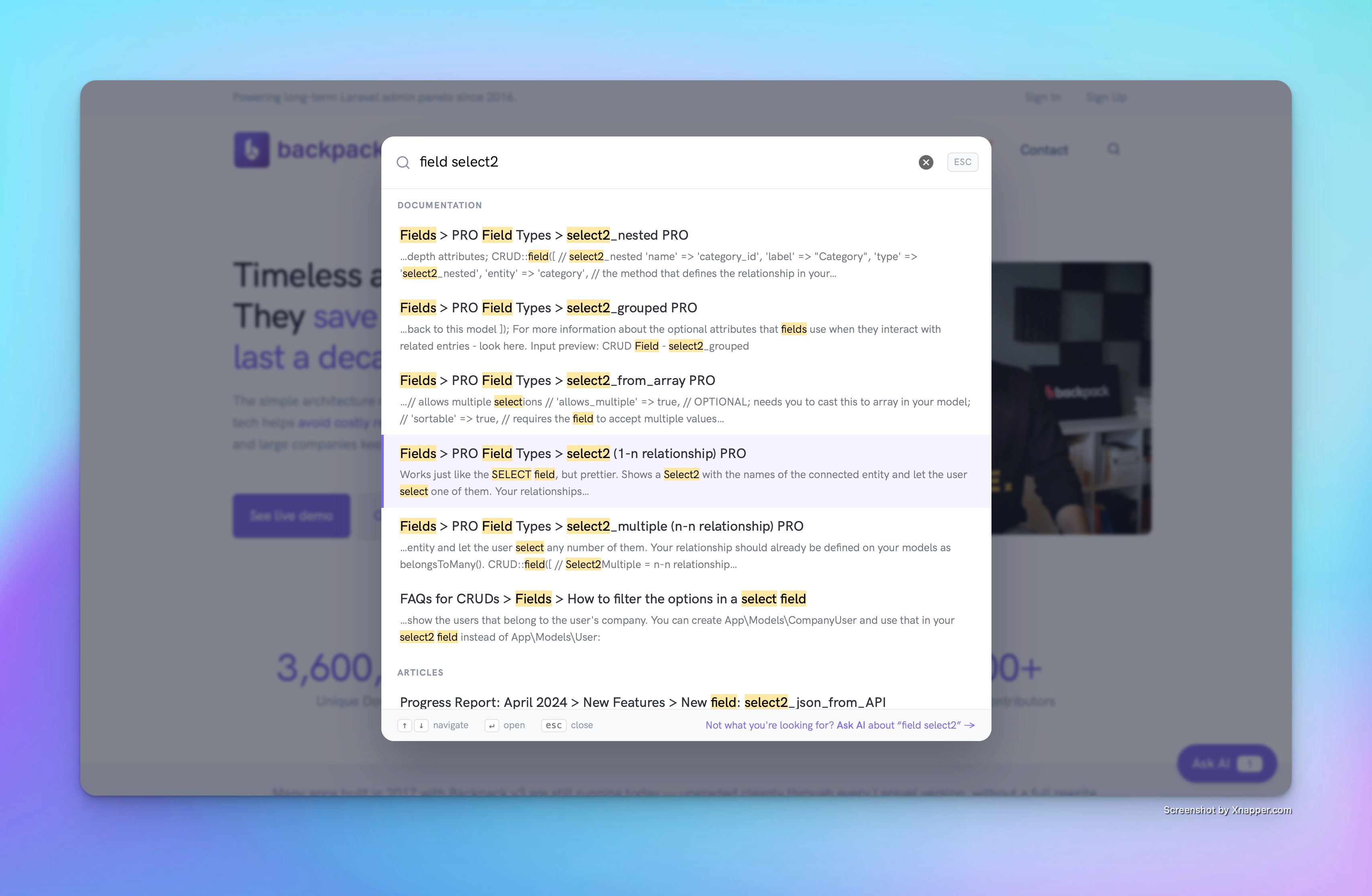
Search that works everywhere. Press / on any page of backpackforlaravel.com and you get a full-page search over the docs, the blog, the add-ons and the marketing pages. Keyword search, instant, grouped by where the result comes from. Enter opens the first hit. Escape closes.
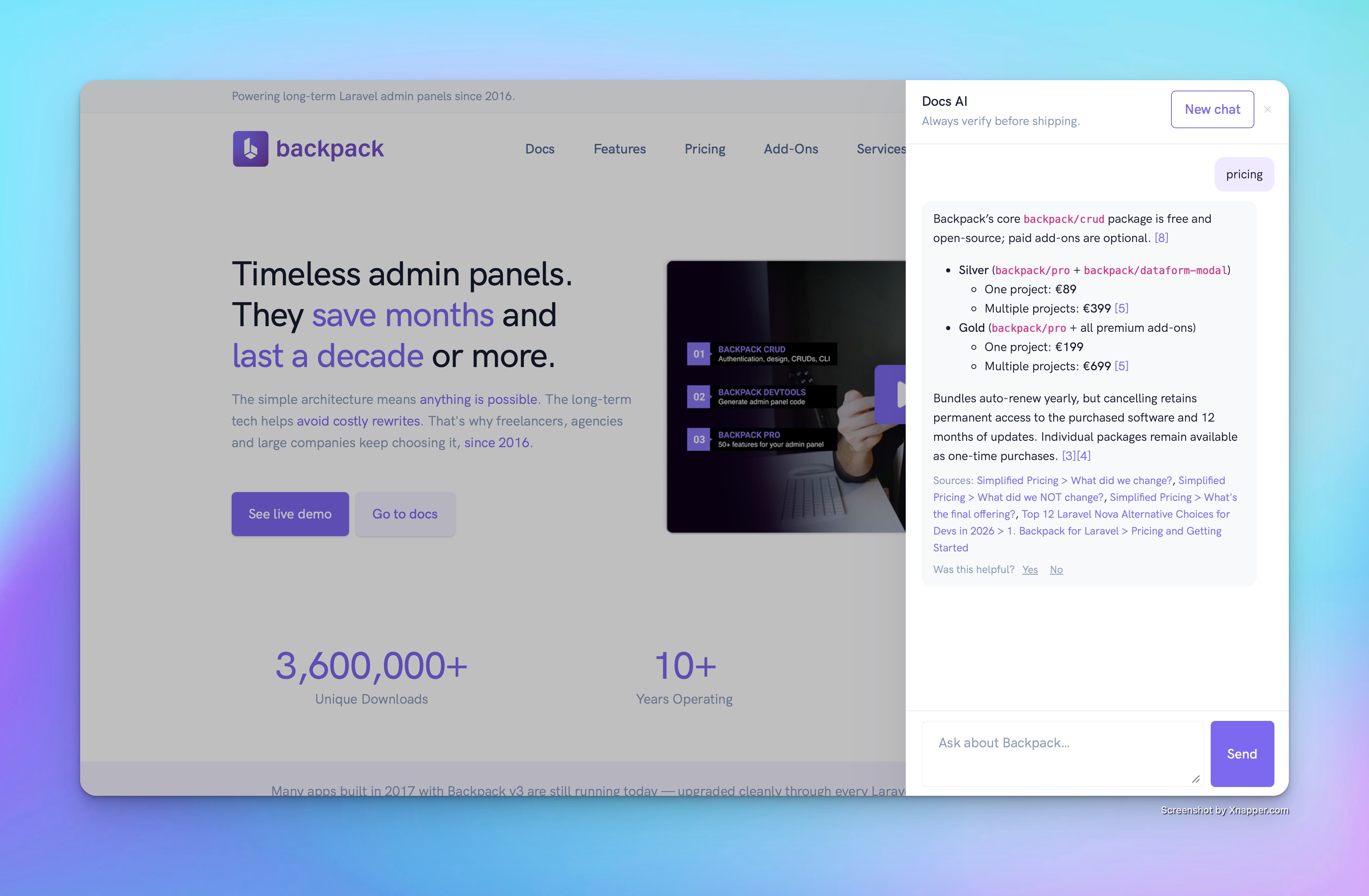
A chat that only knows what we wrote. The "Ask AI" bubble answers questions from the v7 docs, articles and website, cites the sections it used, and links to them. It answers in your language, keeps the conversation while you browse, and if search didn't find what you needed, one click hands your query over to the chat.
The parts
People say "RAG" like it's a black box. It's five plain parts, and you probably have most of them already.
1. The knowledge. Our docs are markdown files in a repo. Our articles are markdown in a database. Our add-on pages come from the products table, plus each package's README and CHANGELOG. Our marketing pages are Blade views. A nightly command reads all of that from the source, never crawling our own HTML, and cuts it into chunks, one per heading. About 2,900 chunks in total. Chunking by heading matters: every chunk knows it's "Fields > select2_from_array" and carries the anchor, so a citation lands on the exact section.
2. The index. Meilisearch, self-hosted. It's a single binary, it does keyword search out of the box, and since version 1.13 it also does vector search: you tell it which embedding model to use and it calls OpenAI itself, both when you add chunks and when someone queries. We didn't write a single line of embedding code. Laravel Scout has a first-party driver for it, so from the app's side a chunk is just a searchable Eloquent model.
3. Search. Keyword only, on purpose. One query per source type so the docs never crowd out an article, results highlighted and grouped. Search costs zero tokens, so bots can hammer it all day and the bill doesn't move.
4. Chat. This is where the Laravel AI SDK comes in. When you ask something, we run a hybrid keyword and vector search in Meilisearch, take the eight best chunks, and put them in the prompt as numbered context. The model is told to answer only from that context and to cite [1], [2], and so on. We map the numbers back to URLs and you get links. The SDK gives us provider switching per call, so we ran the same 60 real questions from last month through both Claude and OpenAI before choosing. It also gives us fakes for tests, which means our 50 tests never spend a cent.
5. Guardrails. Answers cost about a cent each, so: 20 questions per day per IP, a Cloudflare Turnstile check after every 5 answers (it runs silently while you type your next question), and a global daily budget that shuts the whole thing off before a bad night becomes a bad invoice.
How a question travels
You type "how do I set a default value in select_from_array?" and press Enter.
- Meilisearch finds the eight most relevant chunks, mixing keyword matches with semantic ones, in a few milliseconds.
- We build a prompt: the system instructions, the eight chunks numbered, your question, and the earlier turns of the conversation.
- OpenAI's model writes a short answer with
[n] citations. Four to six seconds.
- We swap the citations for links, store the question, the answer, the sources, the tokens and the latency, and show you the result.
Every question ends up in a table. Which brings us to the part we enjoyed most.
The dashboard
We couldn't have an AI feature without a back office for it. So there's a Backpack admin section with what the old vendor dashboard had and the things we actually wanted:
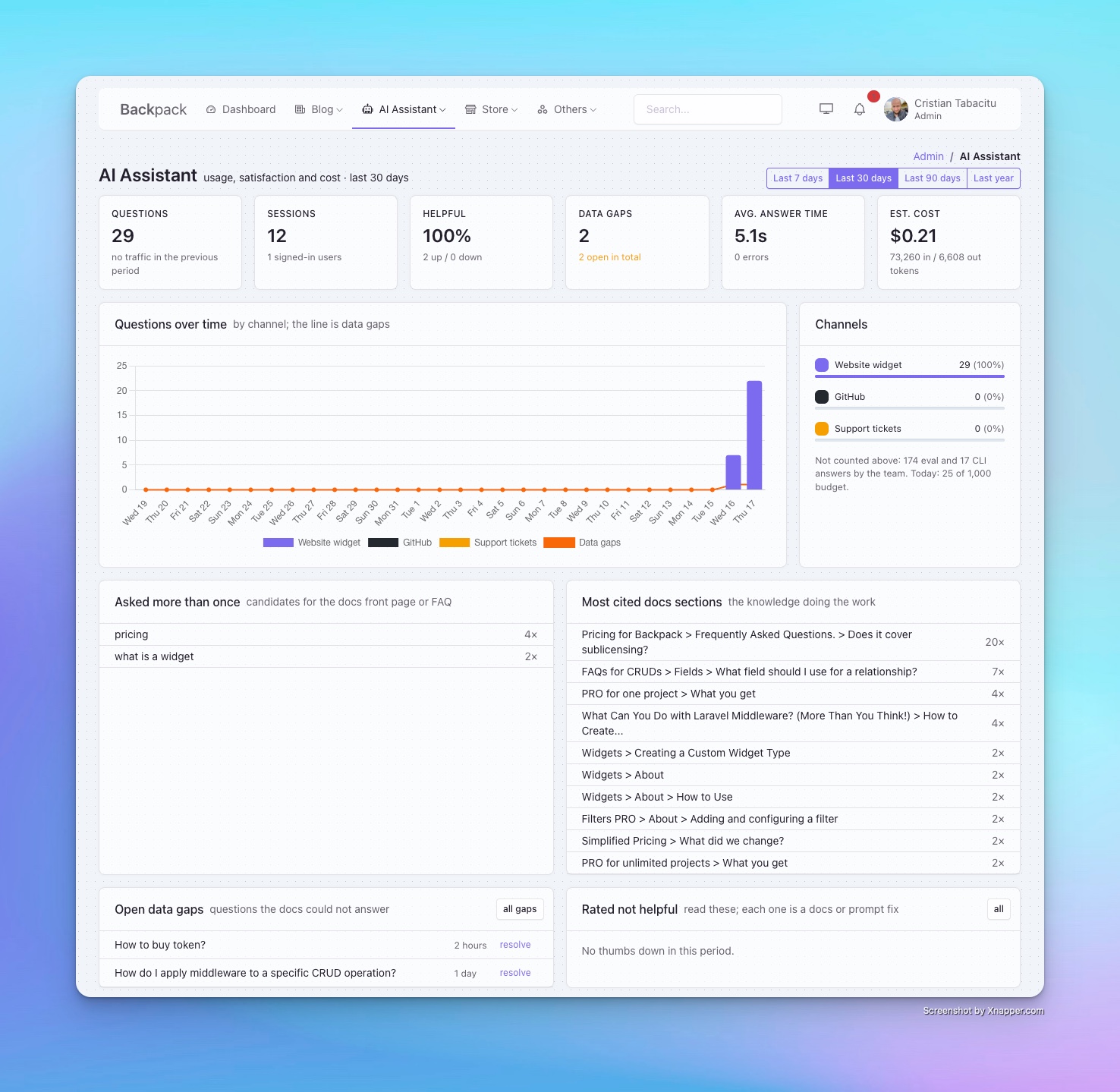
Questions over time by channel. Helpful rate from the thumbs up and down. Estimated cost from the tokens. Data gaps: questions where the docs had nothing good to say, which is exactly the list of docs we should write next. Most cited sections: the knowledge doing the work. Asked more than once: your future FAQ. Every row links to the full question, the answer, and the eight chunks that were retrieved, so when an answer is bad you can see in ten seconds whether the docs or the prompt is to blame.
Took an afternoon. Backpack CRUDs for the questions and sources, one custom page with Chart.js for the dashboard.
What it costs
|
Before |
Now |
| Subscription |
$100/month list price ($69 for us, grandfathered) |
$0 |
| Search server |
included |
$6/month, a small Forge Meilisearch server |
| Answers |
included |
about 1 cent each, a few dollars a month at our traffic |
| Embeddings |
included |
cents per full re-index; nightly runs are free when nothing changed |
| Model |
Kimi K2.5 |
GPT-5.6 |
So under $10 a month, with a better model, and the data stays in our database. The honest cost is time: it took two days, with Claude Code doing most of the typing and us doing the deciding, plus an afternoon of polishing the chat UI because the first version felt clunky. Two years ago this would have been a month.
Things we learned the hard way
- Index the source, not the website. Reading markdown from the repo gives cleaner chunks than scraping your own HTML, and it never breaks when you restyle the site.
- Keep two copies of each chunk. Markdown for the model, plain text for search. Otherwise "pricing" matches every page that merely links to the pricing page, and snippets show raw markdown.
- Prompt wording is a feature. Our first prompt made the model answer English questions in Spanish one time in five. Telling it "reply in English" per request fixed it. Test with real questions, not made-up ones.
- Shorter is better. The first answers were long. Now they lead with the answer and stop at 120 words unless it's a step-by-step.
- Don't deploy before the server is ready. Ask us how we know.
Now it's your turn
The bubble is live on every page of backpackforlaravel.com. Please, go ask it something, thumbs it up or down, and tell us in the comments:
- Is it better than what we had before? Are the answers better?
- Would you like a How-To article so you can build the same thing for your own docs?
- Or should we go one step further and turn this into a Backpack add-on, so it's plug-and-play: install, point it at your markdown, done?
We'll read every answer. The dashboard will tell us if you asked the bot instead.


